Need a Spacing & Lux Quick-Calc + IES Bundle Without Software?
Featured image:

Struggling with complex lighting software1 for simple estimates? This slows you down and can cost you the project. Get our free bundle with online calculators and IES files to get fast, accurate answers.
You can calculate pole spacing, check lux levels, and find IES files2 instantly using free, browser-based tools. We've bundled everything you need—calculators, IES libraries, and payback sheets—on one page to shorten your time-to-spec without needing complex software like Dialux for initial layouts.

I talk to contractors like you every day. A recent client in Thailand, a developer named Somchai, was frustrated. His team was spending days creating preliminary lighting layouts with heavy software just for a budget quote. He knew there had to be a faster way. He was right. The truth is, for about 80% of initial project planning, you don't need a full photometric study. You need quick, reliable data to make decisions and move forward. That’s why we put together this toolkit. It’s designed to give you the confidence to spec a job in minutes, not days. Let's break down how you can use these tools.
Any 150W LED pole light can be spaced 20 meters apart for a parking lot.False
This is false. Spacing depends entirely on the fixture's specific IES file (light distribution pattern), mounting height, and tilt, not just its wattage. Two 150W fixtures can have vastly different spacing requirements.
Incorrectly assuming surface reflectance can change the average illuminance in a layout by over 20%.True
This is true. A dark asphalt surface (low reflectance) will result in much lower calculated lux levels than a light concrete surface (high reflectance) with the same lighting setup. It's a critical input.
How do I calculate street-light pole spacing online without software?
Problem: Guessing pole spacing3 leads to costly errors. Agitation: You either over-light and waste money or under-light and fail compliance checks. Solution: Use a simple, manufacturer-provided online calculator for accurate results.
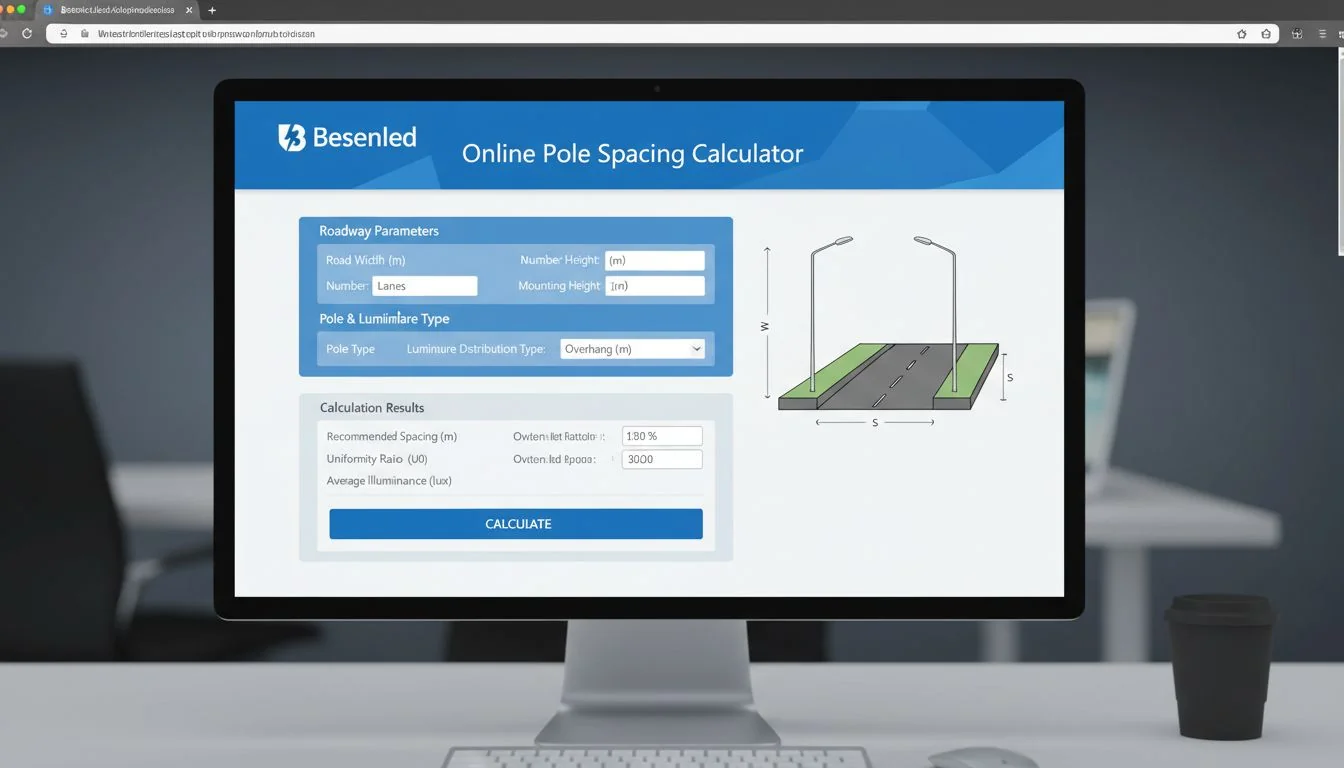
Use a web-based calculator, often found on a manufacturer’s product page. Simply input your mounting height4, fixture details, and target lux level. The tool uses the product’s specific IES file to give you reliable spacing recommendations instantly, avoiding any complex software installation or setup.
Dive Deeper: Getting Spacing Right in Minutes
Full software like Dialux or AGi32 is powerful, but it's overkill for a quick quote. I always recommend using a manufacturer's embedded web calculator first. These tools are tuned to the exact photometric data5 of the product you're considering. This alignment is key. Using a generic calculator with a specific product's IES file can lead to spacing overconfidence.
Here are the essential inputs you'll need:
- Mounting Height: How high the fixture is mounted. This is one of the biggest factors affecting the light spread.
- Fixture Selection: Choose the specific luminaire from a dropdown menu. This automatically loads the correct IES file.
- Target Illuminance (Lux or fc): The average brightness you need on the ground.
- Application-Specific Details: Some calculators will ask for pole setback from the road, arm length, and tilt.
I can't stress enough how sensitive layouts are to tilt and surface reflectance. A 5-degree change in tilt can shift your light pool dramatically. Always treat these as first-order inputs.
Here’s a simple example of how mounting height affects spacing for a typical 150W LED pole light aiming for 15 average lux:
| Mounting Height | Maximum Pole Spacing |
|---|---|
| 8 meters | ~25 meters |
| 10 meters | ~32 meters |
| 12 meters | ~40 meters |
As you can see, a higher mount allows for wider spacing, meaning fewer poles and lower project costs. Our calculators at Besenled are built right into our product pages to give you this data instantly.
A higher mounting height always results in more light on the ground.False
This is false. While a higher mount spreads light over a wider area (allowing greater spacing), the intensity of light (lux) on the ground decreases due to the inverse square law. It's a trade-off between spacing and intensity.
Using a manufacturer's web calculator is faster than setting up a new project in Dialux for a simple spacing check.True
This is true. A web calculator requires only a few inputs and gives an instant result, while desktop software requires project setup, importing files, drawing areas, and running calculations, which takes significantly more time.
What lux levels should I target for roadways and parking lots?
Problem: You're not sure what lux level your project requires. Agitation: Specifying the wrong level can lead to unsafe conditions or failing inspections, forcing costly rework. Solution: Follow established regional or international lighting standards.
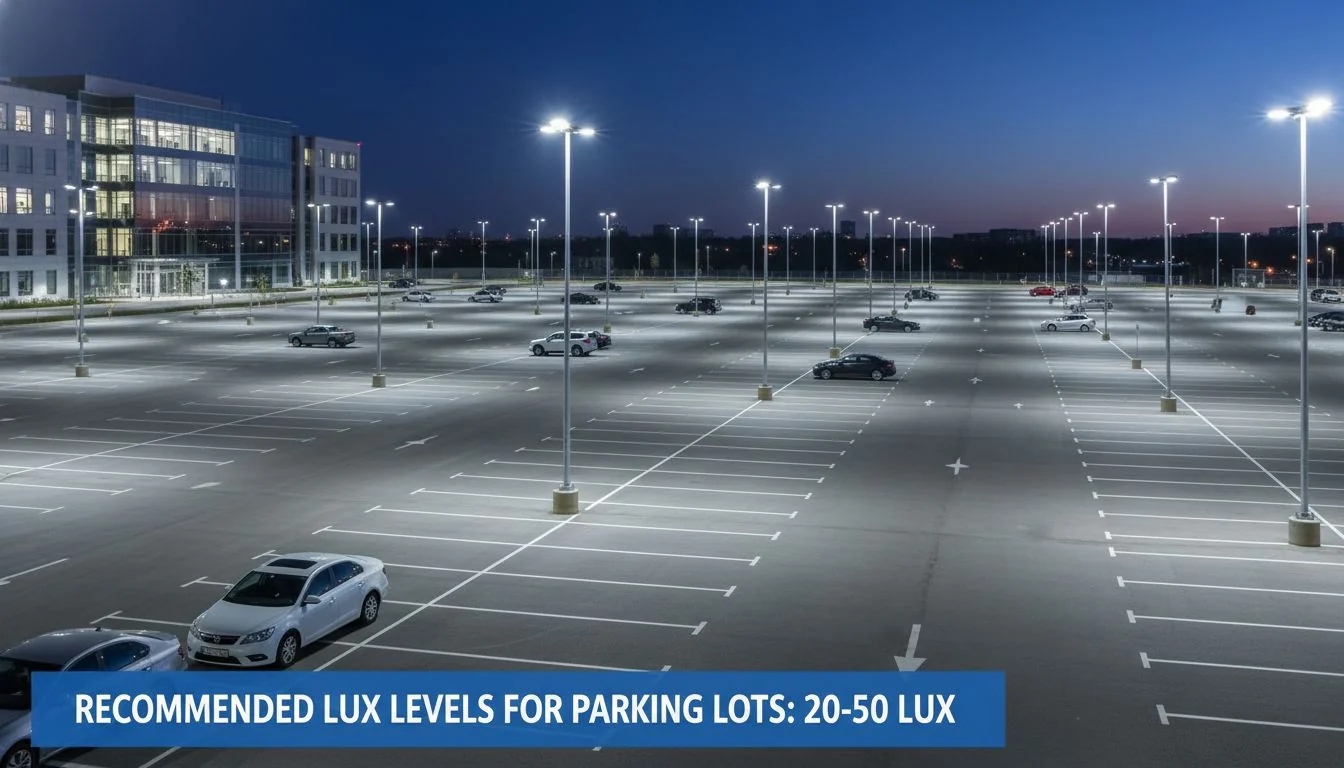
Target lux levels6 depend on the area's activity level. For example, a commercial parking lot typically requires 10-20 lux, while a major urban roadway may need 15-30 lux. Always consult IESNA (for North America) or CIE (international) guidelines and local codes for precise requirements.
Dive Deeper: Matching Lux Levels to the Application
Choosing the right target illuminance is the foundation of any lighting design. It’s not just about brightness; it’s about safety, security, and compliance. As a global supplier, we've helped clients navigate standards from North America to the Middle East. The requirements can vary, but the principles are the same. The more vehicle and pedestrian traffic an area has, the higher the required light level and uniformity.
It's important to consider two key metrics:
- Average Illuminance (E_avg): The overall average light level across the entire surface. This is the most commonly cited number.
- uniformity ratio7: This measures how evenly the light is distributed. It's often expressed as a ratio of minimum-to-average (E_min/E_avg) or maximum-to-minimum (E_max/E_min) illuminance. Poor uniformity creates dark spots and bright spots, which can be dangerous.
Here is a general guide based on common standards. Remember to verify with your local authority.
| Application Area | Recommended Average Lux (lx) | Typical Uniformity (Avg/Min) |
|---|---|---|
| Industrial Parking Lot | 5 - 10 lx | 4:1 |
| Commercial/Retail Parking | 10 - 20 lx | 3:1 |
| Local Residential Street | 5 - 10 lx | 6:1 |
| Major Urban Roadway | 15 - 30 lx | 3:1 |
| Pedestrian Walkway/Bike Path | 5 - 15 lx | 4:1 |
For our clients like Somchai developing commercial properties in regions like South Asia, hitting the right lux level for a shopping mall parking lot (e.g., 20 lux) with good uniformity is crucial for creating a safe and inviting customer experience. Our team at Besenled provides free consultation to help you define these targets based on your project's specific needs and location.
A 3:1 uniformity ratio is better than a 6:1 uniformity ratio.True
This is true. The uniformity ratio is typically expressed as Average:Minimum. A lower ratio like 3:1 means the darkest spot is only 3 times dimmer than the average, indicating more even lighting. A 6:1 ratio means more significant dark spots.
Lux and foot-candles (fc) are the same unit of measurement.False
This is false. They both measure illuminance, but 1 foot-candle is approximately 10.76 lux. Lux is the SI (metric) unit, while foot-candles are the imperial unit, commonly used in the United States.
Where can I download IES files for fast browser-based photometric checks?
Problem: You waste valuable time hunting for the right IES file for a fixture. Agitation: Using the wrong or an outdated file gives you completely inaccurate calculations. Solution: Get complete IES libraries directly from the manufacturer.
The best source is the manufacturer's website, ideally from a centralized resource page. At Besenled, we bundle complete IES libraries for our entire product families. This ensures you have the correct, up-to-date file for any online viewer or quick calculation, saving you from downloading files one by one.
Dive Deeper: Streamlining Your Workflow with Bundled Resources
An IES (.ies) file is a simple text file, but it's incredibly powerful. It contains the standardized photometric data that describes exactly how a luminaire distributes light in 3D space. Think of it as the fixture's unique lighting fingerprint. Any calculation tool, from a simple web calculator to full-blown Dialux, needs this file to produce an accurate result.
The old way was to go to a product page, find the one IES file for the one model you were looking at, download it, and repeat for every other option. This is slow and inefficient.
This is why we believe in bundling the buyer journey. On our resource pages for product families like our LED Pole Lights, you will find:
- A single ZIP file with the IES data for all wattages and optic types in that family.
- Links to the online calculator so you can use those files immediately.
- Spec sheets and installation guides for technical details.
- Payback and rebate calculators to help you build the business case.
This approach saves a massive amount of time. A contractor can download the entire library, use an online IES viewer (like the free Visual Photometric Tool) to quickly compare the beam spread of a Type II vs. a Type III distribution, and then plug the chosen fixture into the calculator to check spacing. It shortens the time-from-idea-to-spec from hours to minutes.
All IES files for a given product wattage are identical.False
This is false. A 150W pole light might be available with Type II, III, IV, or V optics. Each optic type has a unique IES file because it distributes light differently to suit different applications (e.g., roadways vs. large open areas).
An IES file can be opened and read in a simple text editor like Notepad.True
This is true. An IES file is a standard ASCII text file. While it won't show you the visual light distribution, you can open it to see the raw photometric data and information like the fixture's wattage and lumen output.
What’s the formula to convert lux to lumens for area layouts?
Problem: You know the required lux for a space but don't know how many lumens you need to achieve it. Agitation: This makes it impossible to select the right fixture from a catalog. Solution: Use a simple formula for a quick estimate.
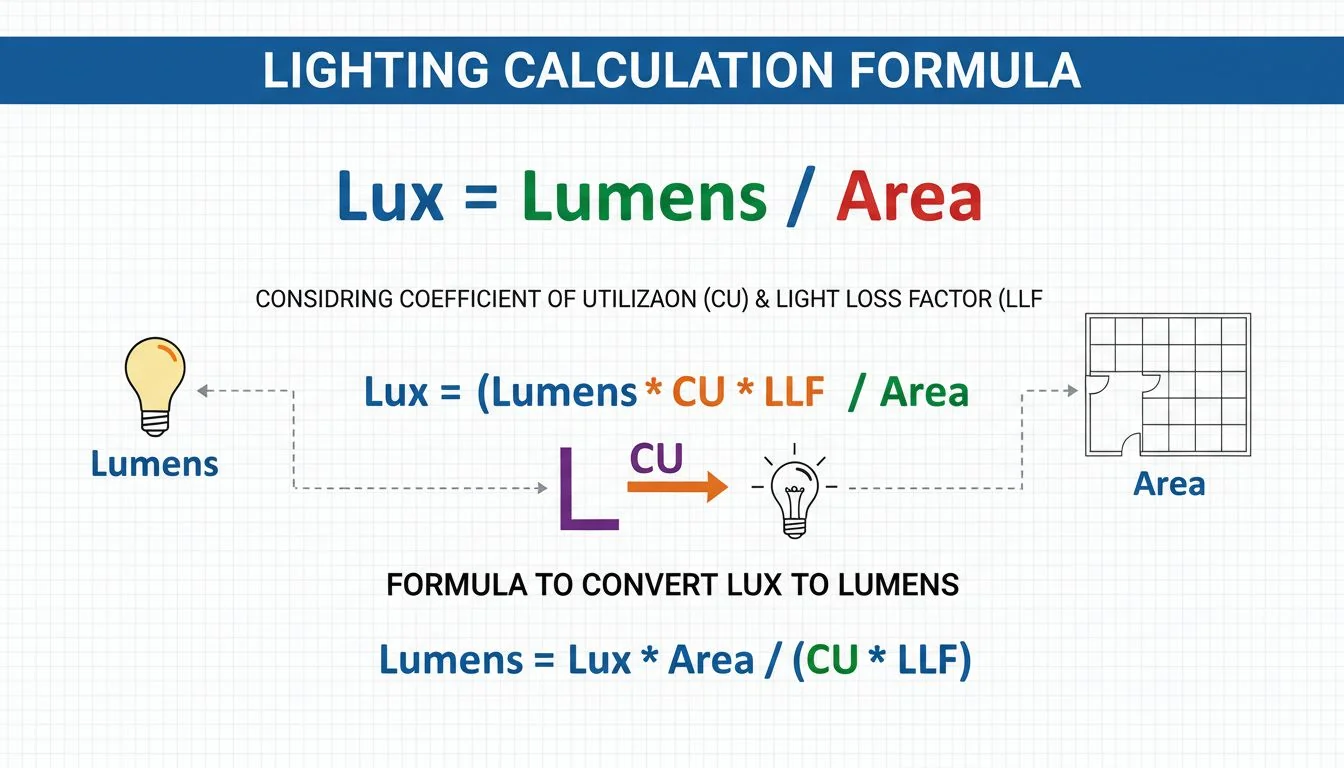
The basic formula is: Total Lumens = (Target Lux × Area in m²) / (CU × LLF). CU is the Coefficient of Utilization (efficiency of light reaching the surface), and LLF is the light loss factor8 (accounts for depreciation). This gives you a strong estimate of the total lumens needed.
Dive Deeper: From Lux Target to Luminaire Specification
This formula, often called the "Lumen Method" or "Zonal Cavity Method," is perfect for initial estimates of open areas like warehouses or parking lots. It helps you bridge the gap between the project requirement (lux) and the product specification (lumens). Let's quickly break down the components:
- Target Lux: The average illuminance you need (from the table in our earlier section).
- Area (m²): The length times the width of the space you are lighting.
- Coefficient of Utilization (CU): This is a crucial factor. It represents the percentage of light from the fixture that actually reaches the target surface. It's affected by the fixture's efficiency, its light distribution, and the reflectance of the surrounding surfaces (walls, ground). For outdoor spaces like parking lots, a CU between 0.3 and 0.6 is a reasonable starting point.
- Light Loss Factor (LLF): Light output isn't constant. The LLF accounts for reductions over time from dirt accumulation (Luminaire Dirt Depreciation) and the gradual dimming of the LEDs (Lumen Maintenance). A typical LLF for a quality LED fixture in a normal environment is 0.8 to 0.9.
| Let's try an example for a small commercial parking lot: | Parameter | Value |
|---|---|---|
| Area | 2,000 m² | |
| Target Lux | 20 lx | |
| CU (Estimate) | 0.4 | |
| LLF (Estimate) | 0.85 |
Calculation:
Total Lumens = (20 lx × 2,000 m²) / (0.4 × 0.85)
Total Lumens = 40,000 / 0.34
Total Lumens ≈ 117,650 lumens
Now you know you need approximately 118,000 total lumens. You could achieve this with eight 15,000-lumen fixtures or six 20,000-lumen fixtures. This gives you a concrete starting point for selecting products and planning your layout.
The Lumen Method formula provides a 100% accurate final lighting design.False
This is false. The Lumen Method is an estimation tool for calculating average illuminance. It does not provide information on light uniformity or specific light levels at certain points, which requires point-by-point calculations or software simulation for a final design.
A higher Light Loss Factor (LLF) is better.True
This is true. An LLF of 0.9 means the system is expected to retain 90% of its initial light output at a certain point in its life. An LLF of 0.7 means it only retains 70%. Therefore, a higher LLF indicates better long-term performance.
Your Quick-Calc & IES Questions Answered?
You have a project to spec and deadlines are tight. You don't have time for uncertainty or a steep learning curve with new software. Let's clear up some of the most common questions I get about quick calculations.
You still have specific questions about using online tools for photometric checks. Uncertainty can stall a project. Here are direct, no-nonsense answers to the most common questions we hear from contractors and developers so you can move forward with confidence.

Can I run photometric checks on mobile?
Yes, absolutely. Many of the best online IES viewers and manufacturer calculators are designed with mobile-responsive interfaces. I have many clients who use their tablets on-site to show a facilities manager a quick simulation. It’s perfect for confirming fixture placement or getting immediate approval on a design concept. While you'll probably want to use a desktop to generate a formal PDF report for a submittal, on-the-go checks are now a reality and a huge time-saver.
Do I need full Dialux/AGi32 for simple spacing?
No. For preliminary layouts, budget quotes, and simple area calculations (like a standard rectangular parking lot), you do not need full software. A good manufacturer's online calculator is faster and often more accurate because it's pre-loaded with the correct IES data and typical application parameters. Use the big software packages when you have complex architecture, need detailed uniformity reports, or are preparing the final, official submittal package. For everything else, the quick tool is your best friend.
Where are complete IES sets for roadway families?
You shouldn't have to hunt for them. We've made it a core part of our service to bundle them. When you go to a Besenled product category page for our pole lights, flood lights, or wall packs, you will find a single "Download IES Library" link. This gives you a ZIP file with every available optic (Type II, III, IV, V, etc.) and wattage for that entire product family. This way, you can easily compare options without having to click and download dozens of individual files.
How do I include rebates/payback quickly?
This is a critical part of selling a project, and it should be just as easy as the technical calculation. Alongside our lighting calculators, we provide simple, spreadsheet-based payback calculators9. You just need to input a few key numbers:
- Your local cost per kilowatt-hour (kWh).
- The wattage of the old fixture you're replacing.
- The wattage of the new Besenled fixture (found on our spec sheet).
- The total cost of the new fixtures.
The sheet instantly calculates the annual energy savings and the simple payback period in years. This gives you a powerful tool to build a compelling financial case for your client.
Conclusion
Stop wasting time on complex software for initial designs. Use our free, bundled online tools—calculators, IES libraries, and payback sheets—to get fast, reliable answers and win more bids.
References
-
Explore alternatives to complex lighting software that can streamline your project planning. ↩
-
Learn about the importance of IES files and where to access them for accurate lighting designs. ↩
-
Understand the key factors that influence pole spacing for effective lighting solutions. ↩
-
Explore the impact of mounting height on light distribution and spacing in your designs. ↩
-
Explore the role of photometric data in achieving accurate and effective lighting solutions. ↩
-
Find out the appropriate lux levels for various settings to ensure safety and compliance. ↩
-
Learn why uniformity ratio matters for safety and effectiveness in lighting applications. ↩
-
Discover how light loss factor affects the longevity and efficiency of lighting systems. ↩
-
Understand how payback calculators can help justify lighting investments and savings. ↩